

Why Your Thermostat Is Blinking 'Cool On'
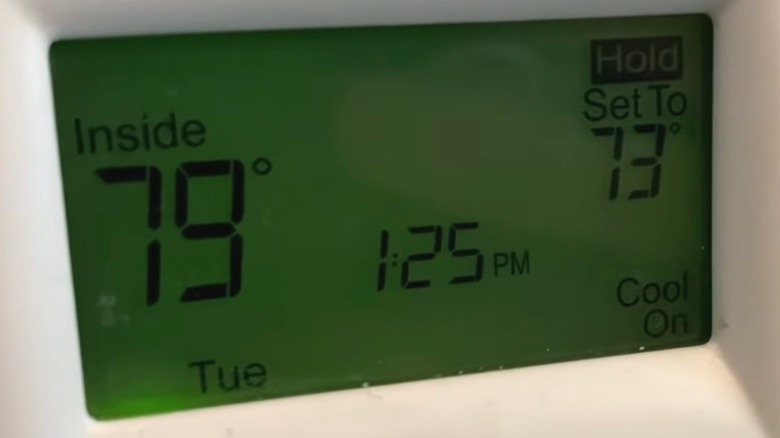
It's a sweltering hot afternoon and you wonder why the air conditioning hasn't kicked on yet. So you head to the thermostat and see the words "Cool On" blinking on the display screen. You immediately spiral into a sweaty panic, imagining having to shell out thousands of dollars to replace your AC, or worse, spend the whole summer without it. You frantically tap the display wondering if smart thermostats are worth the hype afterall.
Allow us to interrupt your heat-induced hysteria to let you know that it's — probably — going to be okay. The blinking Cool On code doesn't automatically mean the air conditioner is broken. Most thermostats use this phrase or others like "Wait" or "Waiting for Equipment" to indicate that there is a delay in starting but that it will, in fact, turn on. (And if you have an old school thermostat that doesn't have a digital display, you might want to consider these best smart thermostats for your household.)
Generally, thermostats delay turning the unit on because they're trying to keep the compressor from getting damaged by stopping and starting again too quickly, called a short cycle. Most thermostats have a set number of minutes that the air conditioning has to be off before it will turn back on again in order to prevent short cycling. This may also happen if there's a power outage, in which case it will delay starting again for a designated amount of time to prevent power surges.
What to do when your thermostat is blinking 'cool on'

If you find your thermostat flashing the Cool On code on the display screen, you might be wondering what you can do about it. Before you go rushing to the tool box or panic-calling your HVAC company, consider giving it a few minutes. Most thermostats have a timer set to display the delay code that lasts around five minutes before it allows the air conditioning to actually turn on.
If it's still showing the Cool On code for longer than five minutes and the air conditioning hasn't turned on, consider checking the thermostat settings. Something like a power outage can require you to reset the thermostat. While there is usually a separate notification when the batteries are running low, the Cool On code might indicate that there's an issue with them and replacing them with new ones may resolve the problem. You can test the thermostat to make sure it's working properly by lowering the temperature setting and allowing up to an hour to see if it turns on and the Cool On code goes away, indicating that it simply needed more time.
If that doesn't do the trick, you can also confirm that the air conditioning unit has adequate power by making sure no circuit breakers are out. If you haven't changed the filter in more than three months, swap that out to see if it helps. If all else fails, reset the thermostat and turn it back on, knowing this will erase its settings. If you've tried it all and still see the Cool On code, it might be a warning sign from your HVAC system you shouldn't ignore and it's probably time to call a professional to have it checked out.