

Furnace Thermostat Stopped Working? Check This Setting

Changes in the temperatures outside may have you fiddling with the thermostat inside. During certain seasons, you may want to set your thermostat to a specific temperature to save on your energy costs. Adjusting it can sometimes cause the fan to run, but not produce the heat or cooling air that it should. If you have set your thermostat to an ideal setting to boost your mood or heat your home, but the fan is constantly running rather than kicking on only when necessary — or it's stopped working altogether – don't panic or call an HVAC professional just yet. A thermostat issue is one of the most common causes of furnace performance problems like these. And it may not be a complicated or expensive repair. It's possibly just a user error, and you can troubleshoot it yourself by checking your fan settings to see whether it's set to "auto" or "on".
Most thermostats have only two fan settings. The fan circulates cold air or heat in response to signals from the thermostat and control board. When you change the thermostat temperature, it tells the fan motor to blow. Once the correct temperature is reached, the fan stops after a delay, as long as it's set to auto. When it's set to the "on" setting, the thermostat will run the fan all the time. When the fan runs continuously like that, it will drain your thermostat's battery and won't work properly. Check to be sure the setting is on "auto" and not "on." This might be the quick fix you need. If you've left the fan running and your thermostat's battery has died, replace the battery and then adjust the fan setting.
Considerations and what else to check when fixing the settings on your themostat
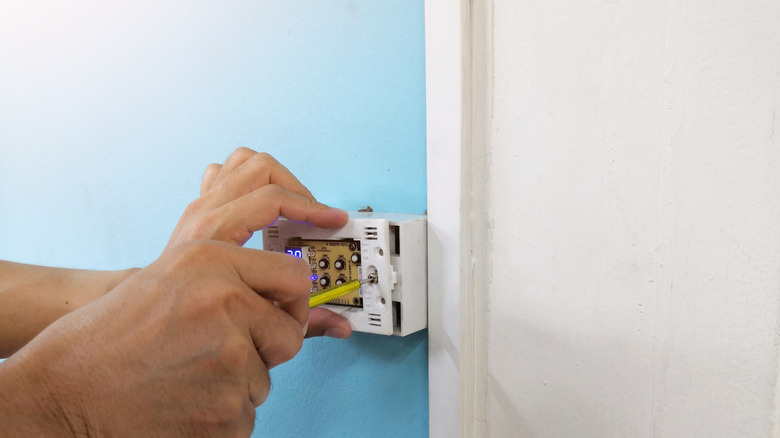
If you have checked the settings and changed them from "on" to "auto," the fan should shut off and your problem is solved. However, after changing the settings, you may still notice that your fan is running or that the furnace isn't running at all. You can check whether there are alternate modes in the settings. You may see a "fan schedule" or "circulate" if you have a smart thermostat, for example, so you can adjust them accordingly. That could also easily fix your issue. However, if you're sure all the settings are correct, it is possible you have a malfunctioning thermostat.
When the thermostat isn't communicating with your furnace, the fan may run when it shouldn't. Unfortunately, this could be due to a number of problems besides the setting itself. The battery may already be dead, as mentioned previously, a part may not be working properly, or the wiring may not be connected. If replacing the battery doesn't work, you can turn off the thermostat and reset your circuit breaker, or reset the thermostat to its default settings. You may need to consult the manufacturer's instructions for re-programming. If none of your setting adjustments, battery changes, or resets are working, it may be time to call a professional for help, or even replace the thermostat. You may consider exploring the best smart thermostats for your household if you want to upgrade or replace a non-working thermostat.