

How To Troubleshoot Flickering LED Lightbulb Issues
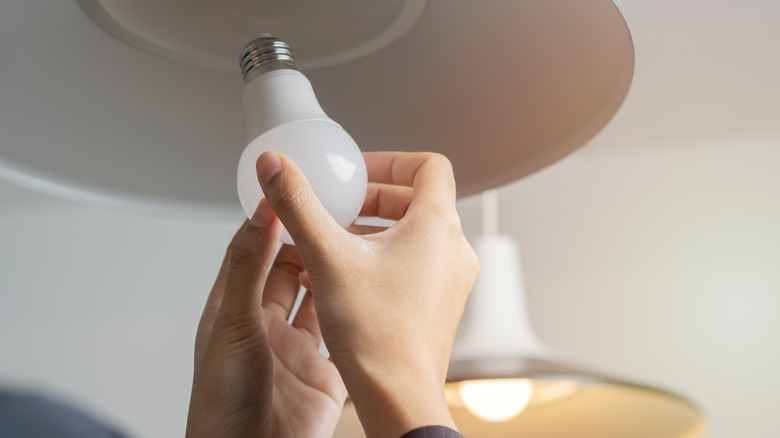
Light Emitting Diode (LED) lightbulbs have become overwhelmingly popular in homes across the nation. While they are pricier than traditional incandescent bulbs, they are also more energy-efficient and have a longer lifespan. Because of these factors, LEDs can help you cut energy costs in your home while lowering your carbon footprint.
While there are many benefits to LED lightbulbs, there's one issue that can affect LEDs at a higher rate — flickers. If you've noticed your LED lightbulbs flickering often, you're not alone. LED bulbs are prone to flickering because they are more sensitive to changes in the electrical current. Constant visible flickering is not only annoying, it can also cause eye strain and headaches if you're exposed over a long stretch of time. Thankfully, it should be relatively easy to find the culprit. To troubleshoot your flickering LED lightbulbs, you'll want to check for compatibility issues, failing bulb or light components, and unstable voltage.
Steps for troubleshooting LED flickers

There are a few easy first steps to take if you're having issues with flickering LEDs. To begin, check the lightbulb and light fixture for any obvious signs of damage. You should also tighten the bulb in case you're dealing with a simple connection issue. From there, you can swap the bulb out with another bulb that hasn't been flickering. If the flickers continue, signs point to problems with the circuit.
If your LED bulbs are connected to a dimmer switch, the next step is to experiment with the setting. Try turning the dimmer up to full brightness to see if the flickers continue. If they stop, you could have an incompatible dimmer. Check the dimmer's label to see if it says "leading-edge" or "halogen" and, if so, replace it with an LED-rated dimmer instead. You should also count the load assigned to the dimmer to confirm that it lands within the minimum-maximum rating. If the total wattage placed on the dimmer is significantly over or under that rating, it can cause an unstable voltage that leads to flickering.
Finally, your LED lightbulbs may be failing or flickering because of their age or environment. While LED bulbs have a longer lifespan than incandescent bulbs, flickers could be a sign that an old bulb is failing due to age. LED bulbs are also more likely to flicker when they overheat, so you can try lowering the temperature in the room and monitoring to see if that clears up the issue.
When to call a professional

While flickering LED bulbs are certainly annoying, there are times when they could also indicate a potentially dangerous electrical issue. If the simple troubleshooting steps above don't resolve the issue, it may be time to call a licensed electrician. There are a few telltale signs that you have a larger electrical problem on your hands that warrants a professional response.
You should contact an electrician if you notice multiple flickering lightbulbs that are on different circuits. This indicates problems with the main electrical panel or wiring. It's also time to contact a professional if you hear buzzing or crackling sounds, notice a burning smell around light fixtures or electrical components, or if your circuit breakers are tripping frequently. All of these warning signs point to serious electrical situations that could pose a fire hazard. While it may be tempting to DIY a fix, this would be an instance when you'd want a licensed electrician to resolve the problem.