

What To Do If The Dishwasher In Your Kitchen Won't Turn On
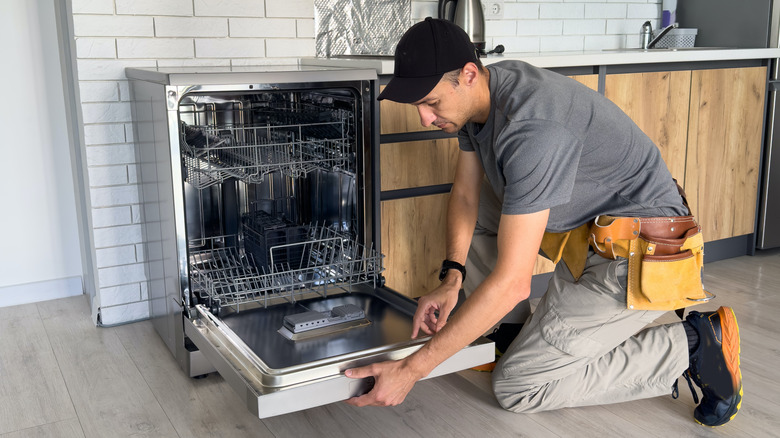
There's nothing quite as frustrating as loading a mountain of dinner plates into your dishwasher only to find that it won't respond when you try to run it. Before assuming the appliance has failed, remember that modern dishwashers function much like computers. Just like your smartphone or laptop, these devices can absolutely experience a glitch in their control boards. Issues ranging from a simple power interruption or a door that wasn't latched quite right can potentially cause the system to not work, leaving you with a dead display and a bunch of dirty dishes. Fortunately, this is a common dishwasher problem with a few straightforward fixes.
Before you reach for your toolbox, try doing a reset directly on your dishwasher's interface. Most reliable dishwasher brands like Bosch and Whirlpool have a built-in reset function hidden within the Start button for this exact scenario. So, locate the button labeled Start or Reset and press it down firmly for at least three to five seconds. Depending on the specific brand, you might hear a mechanical click or see the lights on the interface flash for a moment. This reset clears the control board's memory and allows the system to restart.
However, if the display stays completely dark and unresponsive, the problem may be tied to your home's electrical system. At that point, troubleshooting should move beyond the appliance itself.
How to do a circuit breaker reboot to get power restored
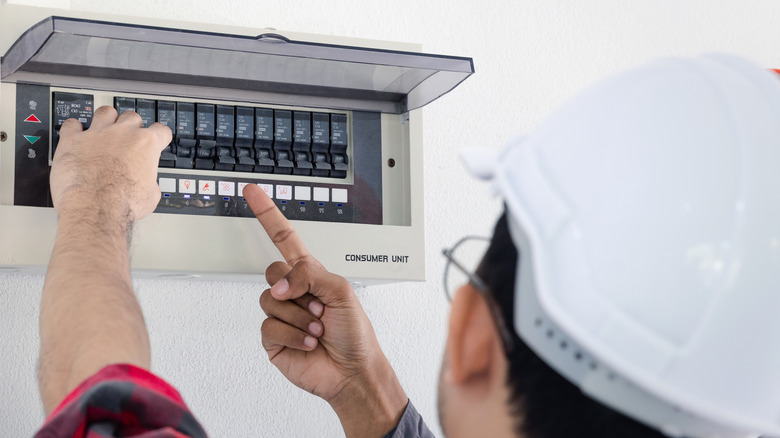
When your dishwasher's control panel fails to respond, resetting power at the circuit breaker is often the most effective DIY solution. This cuts power to the unit, allowing internal components to fully discharge. To start, find your home's electrical panel and identify the switch assigned to the dishwasher. If the switch is sitting in the middle position, it's likely tripped. Even if it looks like it's in the On position, manually flip it to the Off position to begin the rebooting process.
Once the breaker is off, wait at least one to two minutes before flipping the switch back to the On position. This brief pause helps make sure that every last bit of residual energy leaves the dishwasher's control board. If you flip things back on too quickly, the computer chip might still retain the very error that caused the glitch in the first place. Now, after a minute or so has passed, firmly click the breaker back to the On position and return to your kitchen to check the display.
In most cases, your dishwasher lights should flicker back to life, signaling that the system has successfully rebooted. If the display stays dark or if the breaker immediately trips back to the Off position, there may be a faulty heating element or a short circuit that'll require professional help to fix. For most homeowners, however, this simple Off-Wait-On rhythm is all it will take to get your dishwasher running smoothly again. Taking a few minutes to reset the system may be all it takes to get you back to your regular cleaning routine in no time.