

Turn An Old E-Reader Into A Smart Home Display That Even Non-Book Lovers Will Enjoy
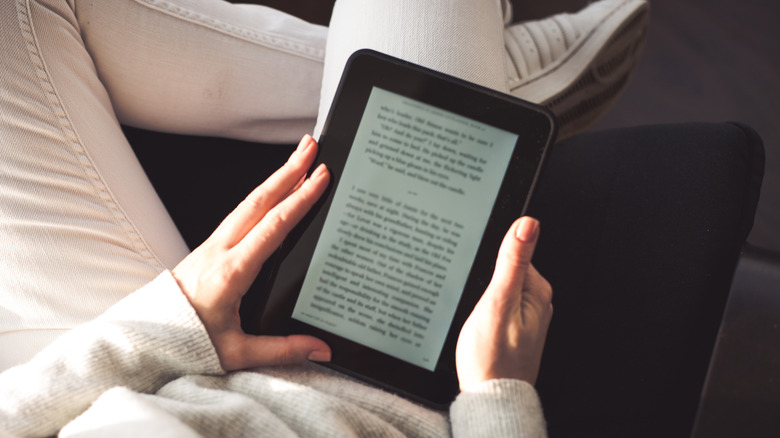
Got an old e-reader that still works but has seen better days? Don't throw it out just yet. Before you toss it in a junk drawer, consider turning your old e-reader tablet into a smart home display. A practical, affordable, and energy-efficient upgrade that can make your house a smart home, your e-reader's built-in web browser can access a platform that can show real-time, at-a-glance updates, so you can easily set up a digital dashboard — whether it's local weather, news, your personal calendar, or even a message board.
Most, if not all, e-reader tablets, like the Amazon Kindle and the Kobo eReader, have a long battery life, thanks to the simple e-ink display. Compared to the more mainstream LCD or LED displays, e-ink displays consume significantly less power, making them well-suited for smart home dashboards that require a constant display. With a few easy steps for the device configuration, you can have a digital dashboard that's always on for an extended period of time without having to constantly worry about the battery running out.
Set up your e-reader smart home display
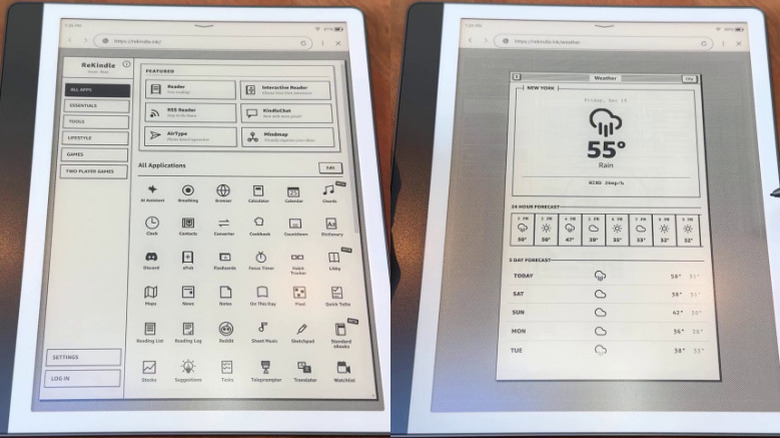
First off, make sure your e-reader is fully charged to avoid any power-related interruptions during setup. Next, go to your e-reader's settings and turn off auto-lock, auto-sleep, or any settings that automatically shut down your tablet's display after a certain period of inactivity. This way, the device's screen will remain on, and your dashboard will constantly be visible.
Next, make sure your device is connected to your home Wi-Fi, so you can access your e-reader's built-in browser. Kindle's browser can be accessed from the menu icon in the top right corner of the screen, while Kobo's browser can be opened through the Settings page. This app will be labeled as "Web Browser" or "Experimental Browser." Go to a browser-based OS webpage (like ReKindle.ink) — which offers a suite of information and lifestyle widgets that can function as a home dashboard display. This website, in particular, allows you to sync with your Google account to easily get real-time updates from your calendars and inboxes.
Finally, make sure to place your new smart home display in a highly visible area. For instance, you can make your entryway more functional by placing this device on a table or against a wall to easily recall reminders or weather updates, place it in your living room to easily access news, or put it on your workspace to help establish a more productive home office. To create a more decorative display, transform Dollar Tree items into a chic tablet stand for your kitchen counter, or add a frame around the screen.