

What Does The Vacation Button Mean On Your Refrigerator?

Refrigerators have undoubtedly come a long way since 1913, when Fred W. Wolf helped introduce the first electric refrigerator to American homes. And now, over a century later, we have way more buttons, fancy lights, creative features, and extra options on our fridges than we know what to do with. That brings us to the "vacation mode" button. Though it may not appear on all models, you can expect to see this setting on many refrigerators, from high-end brands such as Bosch and Sub-Zero to more consumer-friendly and budget-centered options like KitchenAid and Frigidaire. But what does "vacation mode" do exactly? Its function is simple. It reduces your refrigerator's energy usage while you're away for extended periods. It does so by raising the temperature in the main refrigerator compartment or allowing it to idle more often while still keeping the freezer running normally.
Refrigerators, unlike washing machines or ovens, run 24/7, making them one of the home appliances that use the most energy. Having the option of switching to a lower power setting could mean a significant reduction in your home's energy usage while you're off on your next getaway. If you're someone who takes long vacations, choosing the right refrigerator may mean selecting one that includes this cost-saving setting. Though it may not slash your usage in half, it could help save you a few bucks on your next bill. The actual steps to activating the feature on your refrigerator depend on the brand and model.
Activating vacation mode and preparing your fridge
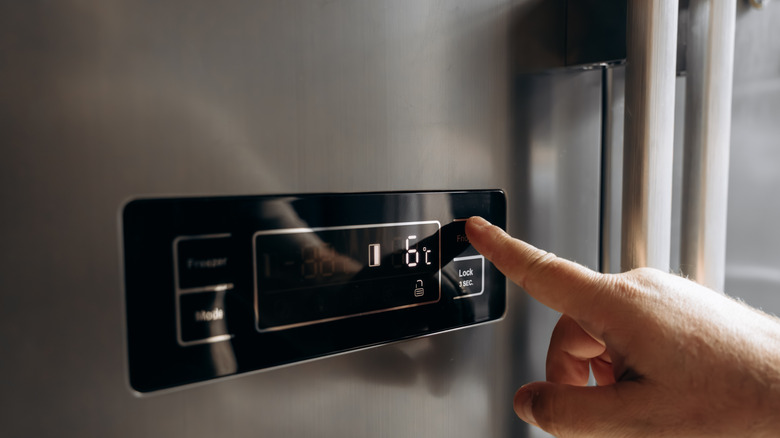
Thankfully, figuring out how the feature works on your fridge shouldn't prove too difficult. These days, most appliance brands have links to digital owner manuals available online with a quick search of the model number. Across the board, the process for setting vacation mode is pretty straightforward.
For example, Samsung's French and side-by-side door models commonly include this feature. On some models, activating vacation mode involves simply holding the labeled "vacation" button on the control panel for 3 seconds. On others, it's activated by pressing the umbrella icon to locate the setting and then waiting for indicator lights to blink to ensure that it's turned on. On the other hand, certain Sub-Zero models require users to activate the feature through an app. These models generally include two vacation mode options, "Short" and "Extended," with the latter intended for trips lasting anywhere from one week to a month.
However, before you set your fridge to vacation mode and head off, it also helps to do a quick scan of its current contents. After all, you don't want to have to worry about getting rid of funky odors in your fridge from spoiled food that went bad while you were gone, so be sure to remove any perishables and potentially odor-causing culprits like uncovered produce or leftovers. It's also a good idea to check for any hidden spills and toss out any food items or condiments that aren't properly sealed.