

What Do The 3 Different Buttons On A Garage Door Opener Do?
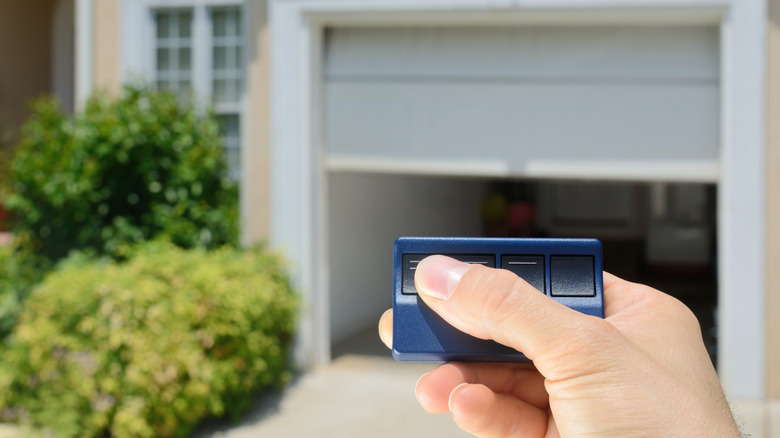
Automatic garage door openers aren't exactly high technology; homeowners have enjoyed the convenience of these handheld remotes for decades. The tech behind them is simple: A button press sends a radio signal to your garage door opener, with the motor then raising or lowering the door. Yet, as handy as they are, you probably don't think about your garage door remote much. Perhaps you've noticed that your garage remote has three buttons, even though you're probably only using one. So the question remains: What do those other buttons actually do?
Not every garage door opener is identical, but the remote designs often feature three buttons (usually one large button and two smaller ones). The large button is normally for opening and closing your primary garage door. The other two buttons allow you to control additional automated devices on your property, such as security gates or other doors, which is useful if you have a larger two-door garage. Think of it like the universal remote you might use to control your TV, Blu-ray player, and cable box – it's the same concept. That means that if your garage remote has buttons you're not using, you may be able to program them for other things.
Best ways to use the other buttons on your garage opener
You probably use the main button on your garage remote to raise and lower the door, but you can also program the other buttons for other convenient functions. For example, many of the best garage door openers use remotes that can also work with many automated gate motors. The specific steps vary by manufacturer and the device you're trying to connect to, and not all remotes will work with all devices. Start by looking for a "learn" or "program" button on the motor's receiver unit. Press it, then press the button on your garage door opener that you want to use to control that device.
When in doubt, consult the instructions that came with your garage remote. If you don't have the manuals, most common garage door and smart home device brands provide programming instructions online. However, an even easier way to sync your garage door opener with other devices is with something you might already have in your car: HomeLink. This is a wireless remote control system that works with many modern garage door makers (including LiftMaster, Chamberlain, Craftsman, and Genie).
Many modern cars come equipped with HomeLink, with the control located on the overhead console or the rearview mirror. What you may not know is that you can also sync HomeLink with your garage door opener. This allows you to use the various HomeLink buttons to perform the same functions as your garage remote. It's quick to pair with your garage door remote, and HomeLink provides easy instructions for doing so.