

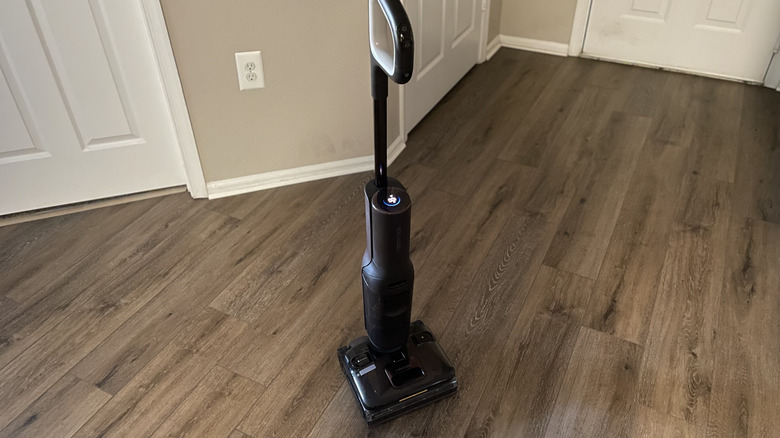
Roborock F25 Ultra Steam Gen 2 Review: The Latest In Wet & Dry Vacuum Tech Steams To The Edge
- Useful cleaning modes
- Pleasantly quiet operating volume
- Powerful suction and wet mess cleaning
- Great quality of life features
- Self-cleaning requires some user involvement
- Not suitable for super-narrow spaces
I must admit, I'm a zillenial who frequently puts off her smartphone's IOS updates. So when I got the opportunity to check out the F25 Ultra Steam Gen 2 for House Digest (supplied for free by Roborock for this honest review), I was excited, but also intimidated at the prospect of testing out the latest in wet-dry vacuum technology. However, my old rickety vacuum sounded like a mini freight train, so I figured the time was ripe to streamline my floor cleaning routine.
The F25 Ultra Steam Gen 2, designed to gently clean hard floors with water and steam, was released by Roborock in early October 2026. It boasts suction power of 25,000 Pa — 5,000 more than the original F25 Gen 2 — as well as 0-millimeter triple-edge cleaning, meaning less water and missed grime in tricky corners. It even has a larger clean water tank capacity and longer battery life. However, what really sets it apart are the additions of steam and hot water modes, which introduce new ways to eliminate sticky and greasy stains without chemicals.
After four days of testing the features of this wet and dry vacuum, I can safely say that I'm a Roborock convert. The pros outweigh the cons tenfold, and the efficiency and ease of use make it almost worth the $799.99 price tag.
How I tested the Roborock F25 Ultra Steam Gen 2
I tested the Roborock F25 Ultra Steam Gen 2 over the course of four days. Being more of a tech-cautious person, I focused a portion of my testing on the initial setup process, including everything from assembling the vacuum parts to installing and connecting the app. The main question I wanted to answer was: Is it user-friendly to the average person? The second testing area focused on the efficiency of the product's cleaning modes (Auto, Steam, Hot Water, and Sponge), along with the turbo boost trigger. For this review, I let the dust bunnies, food crumbs, grease stains, and condiment spills run wild on my vinyl floors. I even ignored the occasional wad of hair (long-haired-person problems), which is as close as I could get to pet hair for this review.
As I tested the product, I paid close attention to how the wheel assist feature impacted the amount of force I had to apply to move it, the shape of the handle and placement of the buttons, and how much noise it made depending on the mode and suction power settings.
Following initial testing, I explored more of the F25 Ultra Steam Gen 2's techy features to test how easy they were to use. This included using the app to adjust the suction power and water flow, as well as changing the wheel assist force in the app to check the machine's response. However, the ultimate tech-driven test was to see how easy it would be to move the vacuum with the remote control mode. Finally, I evaluated the post-operating process, which included testing the functionality of the self-cleaning feature and the charging dock.
It was easy to assemble and connect to the app
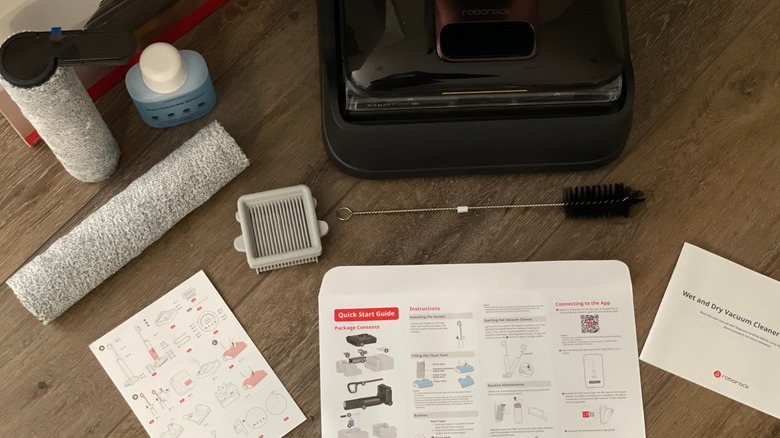
When unboxing and assembling the cleaner, I was happy to see that everything was neatly packed and preserved. It came with the vacuum cleaner, the handle, a 6-fluid-ounce bottle of cleaning solution, two rollers, a maintenance brush, an extra filter, and the charging dock plus a plug-in cord. Also included were a quick start guide, a detailed user manual, and a card outlining specific product parts along with illustrations. Being a visual person, it was very helpful to read the instructions and check the card to ensure I was assembling the vacuum properly. The only real issue I had was trying to figure out when and how to attach the roller to the cleaner head — I couldn't find any mention of this step in the instructions. So I just figured it out. Everything operated smoothly, so I can only assume my impatience worked in my favor.
 Amanda Weir/Static Media
After assembling the product, I placed it on the charger and went to set up the app. I then scanned the QR code on the quick start guide, which redirected me to download the app. I had to create a password and follow the steps to connect the vacuum to my Wi-Fi. The whole process only took about five minutes. It required a bit of technology literacy, but overall, I think it was very beginner-friendly.
The F25 Ultra Steam Gen 2 made my dusty vinyl floors shine
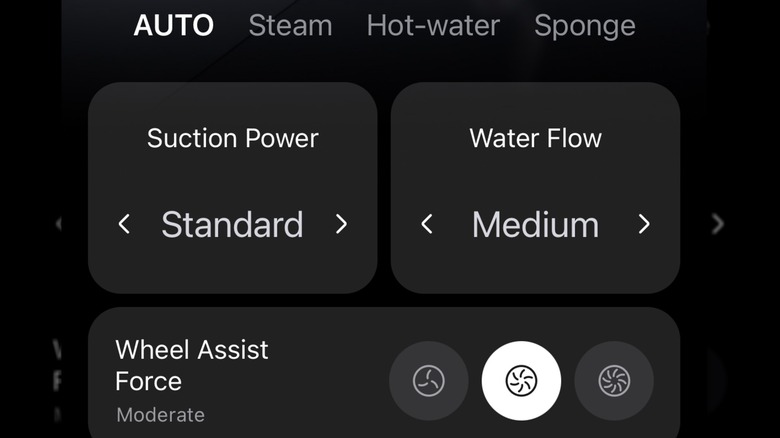
Before starting, I waited until the vacuum was fully charged to put its 100-minute battery life to the test. I then took it off the charger (they say not to get it wet) and poured water and cleaning solution into the labeled dispensers on the cleaner head. My only complaint is that the instructions don't say how much of either to pour inside. Once the compartments seemed efficiently filled, I started with the auto clean setting, which I perceived to be the most basic setting, and set the suction power to standard and the water flow to medium.

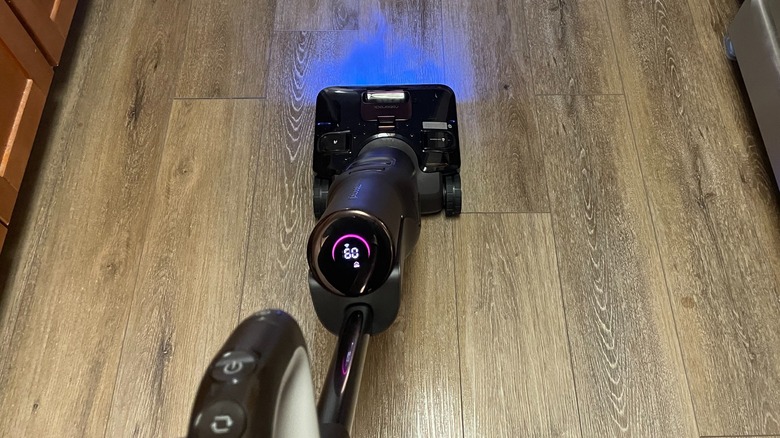
As I vacuumed, the blue light illuminated the floor and all of the dust, which served as a nice guide. On my first go around my apartment, I found I didn't have to go over the same spot more than twice. Next, I decided to try steam mode, which TÜV SÜD testing has found can remove over 99.9% of allergens, such as pollen and dog dander, to help create a more hygienic environment. It does take a minute to activate, but it wasn't a big deal. I could definitely see a difference in my vinyl floors, which went from dull and almost grey-looking to a polished, cool-toned brown appearance. I had to refill the clean water tank after a few minutes of steam mode — granted, I didn't fill it completely at the start because I was unsure how much to add. It also ate up a small portion of the battery — the product details state that there's a 30-minute battery life when in steam mode, so that's something to keep in mind. To be quite honest, I didn't notice anything major in cleaning performance when I tested the turbo boost trigger on the handle while using steam mode (aside from more steam).
The F25 Ultra Steam Gen 2 hot water and sponge modes eliminates stains in seconds
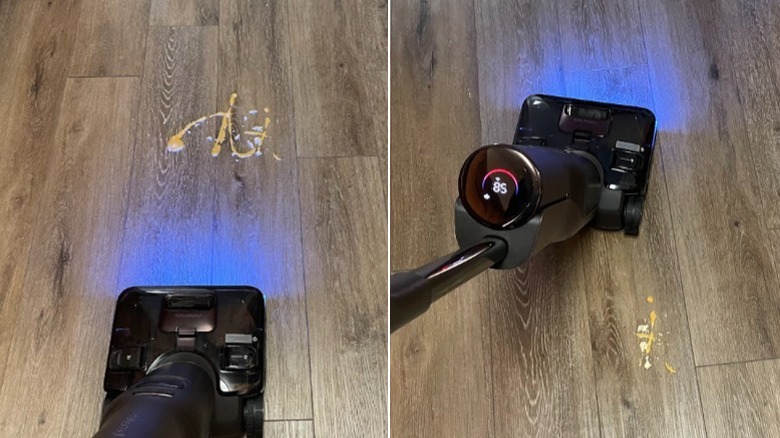
My kitchen floor had a few greasy stains I thought were perfect for testing this vacuum's hot water mode, which reaches nearly 200 degrees Fahrenheit. You cannot change the suction or water flow for this setting, but it doesn't matter. The stains were gone in one back-and-forth maneuver. What usually took minutes with a stain remover and scrubbing was done in under 15 seconds. To adequately test sponge mode, which combines a low water flow with your choice of suction power, I smeared honey mustard on the floor. When setting sponge mode to the standard suction power, I found it was able to clean up the mustard right away. I even went over the spot with a paper towel afterwards, and not even a hint of yellow was left.
To really put the sponge mode to the test, I made the mustard stain bigger and even added some well-expired Tzatziki dressing to the mix, letting it sit on the floor for 15 minutes. Then, I activated sponge mode and opted for turbo suction power (the highest level). The stain was gone in two back-and-forth sweeps! I followed it over with hot water mode and checked the floor — no stain residue or stickiness.
The tech features worked well, but the remote control mode could be better
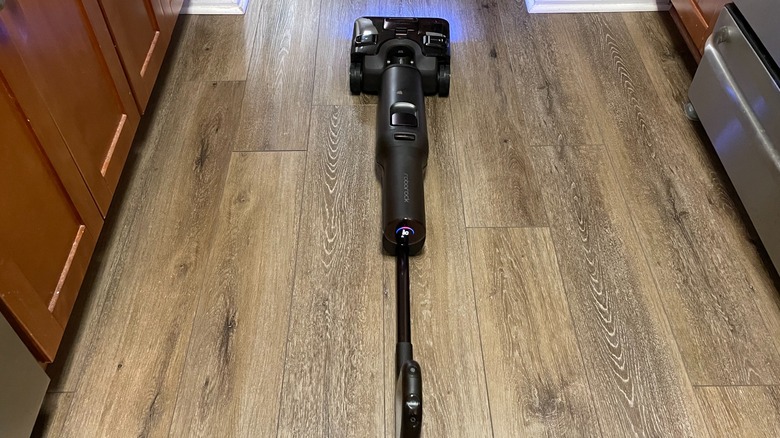
Now, let's talk about remote control mode, which helps you to direct the vacuum in different directions when guiding it through low-space areas, such as underneath furniture. You have to lay the vacuum flat on the floor and press the arrows in the app for it to go in the direction you want. I think this feature could be very beneficial for getting underneath long pieces of furniture (like beds or dining tables). However, it didn't always respond to my directions. It kind of felt like when you're a kid and you get your first remote-control toy. It's hard to navigate and impossible to prevent from smashing into everything. You might as well get on your hands and knees and manually push the vacuum back and forth under the furniture. Still, I got a kick out of it, and I do think it serves a purpose, I just don't know how often I would use it.
 Amanda Weir/Static Media
In general, however, using an app in conjunction with the vacuum wasn't as painful as I thought it would be. In fact, just tapping a few settings and pressing a button instead of manually changing dials on the vacuum was super easy and less of a hassle. My personal favorite was the ability to change the AI-assist glider strength via the app. It essentially allows you to decide if you want an arm workout or if you want to simply guide the vacuum, letting the cleaner itself do the majority of the work. All I had to do was start pushing or pulling on the handle. I couldn't tell much of a difference between the mild and moderate settings, but the strong setting had a noticeable difference.
This Roborock wet and dry vacuum was smooth to operate
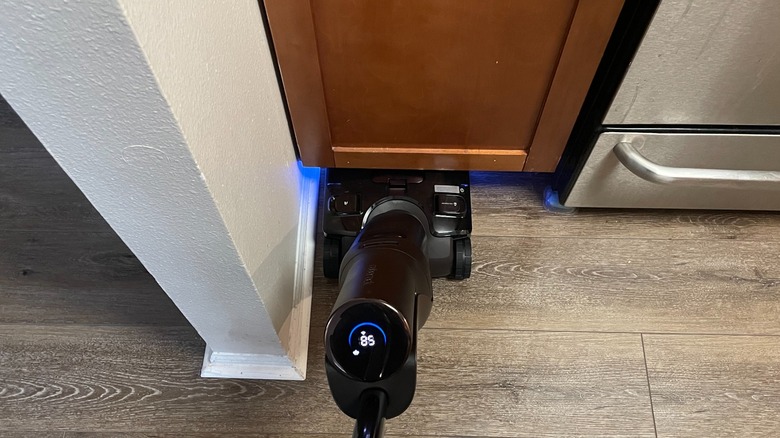
After using this wet and dry vacuum for four days, I'm impressed with how smoothly it operates and how I wasn't exhausted after using it. The wheels glide with little-to-no sound and the shape of the handle and placement of buttons didn't cause any strain to my hands. The fact that it can lay flat and swivel around corners is super helpful — especially when I'm too lazy to move the chairs around my dining table. The only bummer was the lack of a long attachment to reach tight corners. It also couldn't maneuver through spaces that were narrower than the cleaner head, which could limit its practical uses.
 Amanda Weir/Static Media
As an apartment dweller, I try to be conscious of my noise level, so I was pleasantly surprised at this product's sound output. Don't get me wrong, it makes noise, but compared to other vacuums I've had, I didn't feel like I had to hurry up to end my ears' suffering or that of my downstairs neighbors. It could be described as a fan-like or white-noise-machine-type sound.
When the water and cleaning solution dispensers were full, I did notice that the vacuum was a bit heavier and the wheels made more noise. Changing the wheel assist force to "strong" helped minimize the strain on my arms. Since it's a bit heavier when filled with water, it might not be the best choice for vacuuming and steaming stairs. I don't have a second level, but if I did, I would wait to fill the clean water tank until I brought it upstairs, so it wasn't as bottom heavy.
The pros and cons of the self-cleaning mode and charging dock
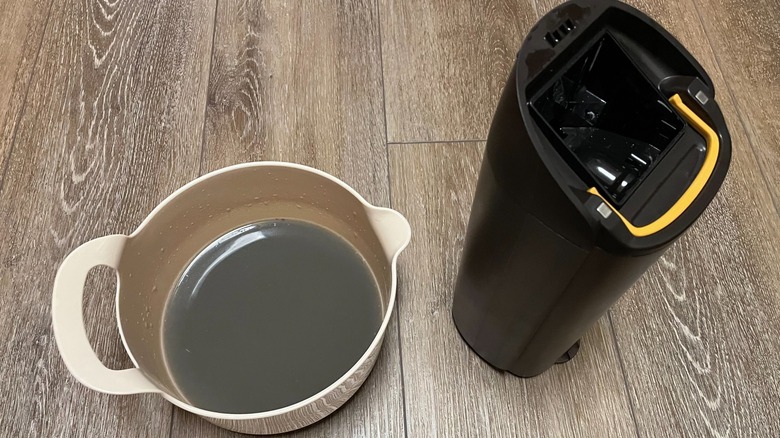
Once I finished vacuuming, I turned the machine off and detached the dirty water tank per the instructions. I emptied it into a bowl to show how gross and dirty my floors were prior to cleaning. You have to empty the dirty water tank after each use, which is actually quite satisfying. I had my Debra from "Everybody Loves Raymond" Humm Vac moment (if you know, you know). I also used the maintenance brush to clean out some debris (and a lot of hair) from the area around the roller.
 Amanda Weir/Static Media
Once the vacuum was reassembled, I put it on the charging dock. The robo voice tells you what to do — I had to empty additional water from the tank and refill the clean water tank before it would continue, and each time you had to press the self-cleaning button. I will say that the next time the process went much smoother. The self-cleaning process itself is pretty quick, and after checking the roller, it looked almost completely dry and free from dust and stains.
You do have to lift the vacuum onto the charger for the self-cleaning step and charging, which feels awkward. I also noticed a small water stain on the floor after moving the vacuum — I'm guessing leftover from the sponge, and I was worried about getting the charging dock wet, since the directions caution you about that. However, the dock does have a roller-shaped divot on the front, which I assume keeps any water residue from migrating backwards. The charging station's overall layout works well to keep the machine in place during self-cleaning and charging activities.
Final thoughts on the Roborock F25 Ultra Steam Gen 2
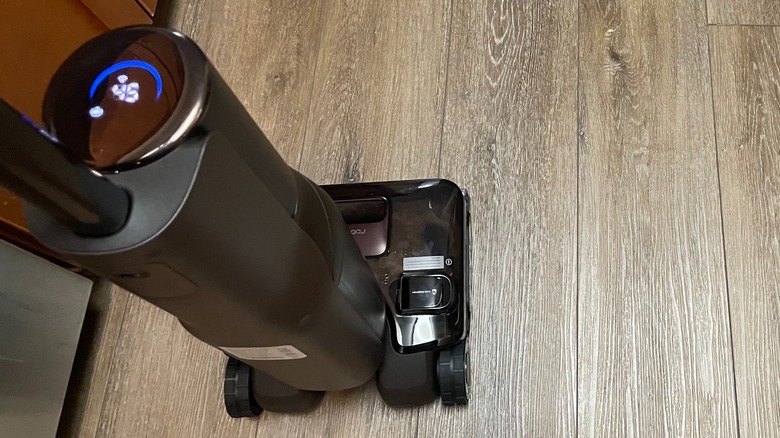
Overall, the Roborock F25 Ultra Steam Gen 2 is everything a cordless wet and dry vacuum should be. You can complete vacuuming and floor-washing functionality in one go — and without worrying about getting tangled up in a cord (it did wonders for my sanity). The app and tech features are easy to navigate — even for someone who typically shies away from high-tech cleaning gadgets. The steam mode is totally worth it if you want to maintain vibrant-looking floors, and the hot water and sponge settings make tackling spills and pesky stains effortless.
However, if I were to be nitpicky, the device does lack an attachment to clean narrow spaces. Also, the lack of direction or fill lines for the clean water and solution dispensers caused me to overfill them multiple times. And finally, call me lazy all you want, but the amount of work that went into self-cleaning makes the title a bit misleading. That being said, its tech features, versatile cleaning modes, and impressive efficiency at removing everything from dust to spilt condiments cannot be overlooked. I'm not dreading the prospect of vacuuming and washing my floors in the future, and I consider that a huge win.