

Can You Use WD-40 To Clean Electronics?
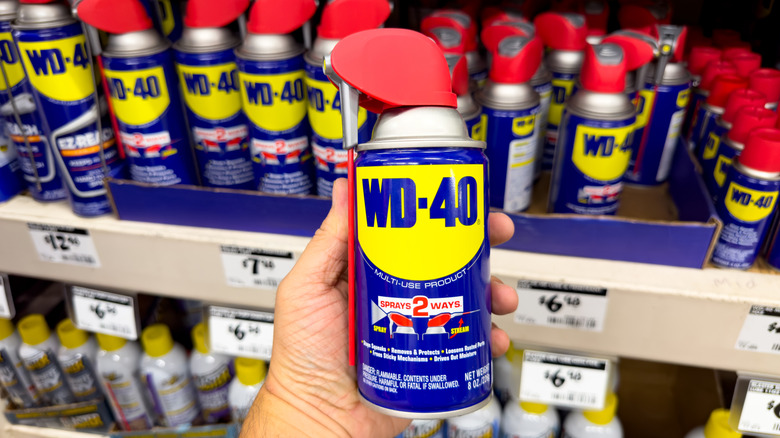
WD-40 is one of those products that every homeowner probably has lying around somewhere and honestly, it makes sense as there are many ways you can use WD-40 around the house. Take, for instance, cleaning. From glass to plastic and metal to wood, WD-40 can be used to clean a number of things, and this makes many wonder if they can also use WD-40 to clean the electronics in their house. The answer to this question is not very straightforward as while you can use WD-40 to clean certain electronic parts, the multi-purpose original WD-40 is not really designed for cleaning sensitive electronics.
That is because it leaves behind a lubricating film. Now this lubricating film is a good thing in many situations as it keeps the surfaces protected from moisture and rust, but on electronics, it can be problematic as their electrical contact points need to be residue free. Furthermore, this lubricating layer attracts dust. This can complicate things further. Put simply, the original WD-40 is not a good option when it comes to cleaning electronics and doing so is a one of the many WD-40 cleaning mistakes.
Luckily, the regular WD-40 is not the only product the brand makes. The WD-40 Specialist Contact Cleaner, unlike the multi-purpose original WD-40, does not leave behind any residue and can be safely used to clean sensitive electronics like circuit boards and electrical connectors of dust, moisture, and other debris.
Using the WD-40 specialist contact cleaner to clean electronics
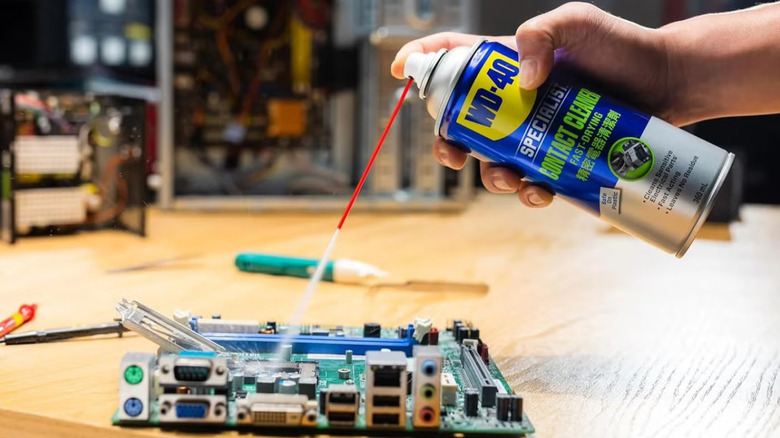
If you do decide to use the WD-40 specialist fast-drying contact cleaner to clean your electronics, the first thing you should do is make sure that they are powered down. For corded electronics, make sure they are not connected to any electrical outlets, and remove the batteries from battery-powered devices. It is also worth noting here that some electronics have energized parts which store electricity and you must de-energize them before cleaning.
Nevertheless, once you are ready, take a soft brush and carefully clear all the dust from your electronics before spraying them with the WD-40 contact cleaner. When spraying, make sure that you use the spray straw and hold it about 1 to 2 inches away from the object. Likewise, do not drench the whole thing in one spray. Instead, use short bursts. It is also best do this outdoors or in a place with proper ventilation and airflow.
Lastly, keep in mind that even the WD-40 specialist fast-drying contact cleaner cannot be used to clean all the parts of your electronics. Take, for instance, screens. You should not use WD-40 to clean computer screens or other electronics like smartphones as it can damage them. Instead, use a manufacturer approved cleaner. Furthermore, if during the cleaning process you find that your electronics have any faulty connections, do not just ignore them. Instead, get them checked or repaired, if needed, before cleaning them.