

The Best Free AI Interior Design Tools To Try For A Beautiful & Organized Space
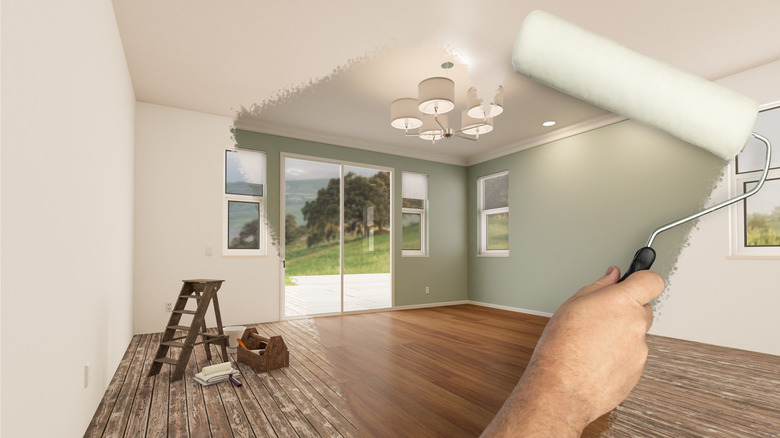
Making interior design choices for an old build you're purchasing from a seller or furnishing the empty rooms of a newly constructed apartment isn't easy. Similarly, redecorating your current residence or clearing up clutter isn't always a walk in the park either. This is where design professionals and experts come in. However, if you aren't ready to reach out to one yet or don't have a sizable budget to fit them in, try out a few AI interior design tools for a beautiful and organized space. Free tools, like Homebyme, Spacely AI, and RoomsGPT, will help you to achieve the results you want on a budget.
Be sure of your requirements and use simple language when conversing with a bot or listing your preferences to make the most out of a tool. Moreover, have a clear photograph of the space you'd like to decorate, declutter, or design anew at the ready. This is because a lot of sites require you to upload a picture of your current digs so they can build upon it. Not sure where to start? Here's a list of the 17 best AI platforms we liked after trying them out. They're all free or offer a few consultations for no charge, so you can explore them well before committing. You'll find a more detailed methodology slide at the end, exploring how we judged each tool. That being said, remember that these aren't a perfect replacement for human designers since they can't stick to your budget or follow your instructions to a T yet. The space they reimagine might also not match your actual room's dimensions, so use your judgment if you take their suggestions.
Ikea Kreativ
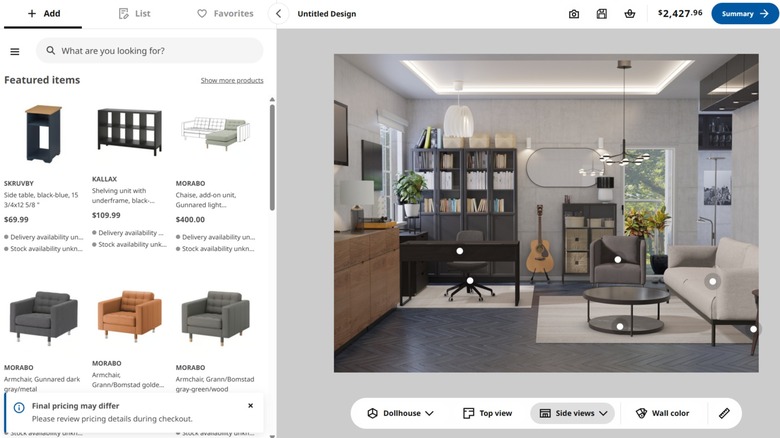
If you love all things IKEA, IKEA Kreativ is a design tool you need before your next renovation. It relies on AI, 3D mixed reality, and spatial computing technologies to help you reimagine your space. Download the IKEA app or go to the web page and upload images of your rooms to start designing your home with new offerings from the brand. Add the products you like to the cart or save your designs for later. If that seems like too much work, experiment with the available empty spaces or draw inspiration from the already furnished ones.
RoomsGPT

RoomsGPT is a free AI design tool that allows you to reimagine your interiors as well as your exteriors and garden within a few seconds. You just need to upload an image of your current space or the inspiration photograph, choose the room it belongs to, and pick the style (or designer) you want. In case the preset options don't match your requirements, feel free to input customized instructions for the tool. There's an app, too, that you can download if you'd like offline access, quicker results, and zero ads interrupting your flow. Don't forget to sign up if you wish to save your designs.
Homebyme
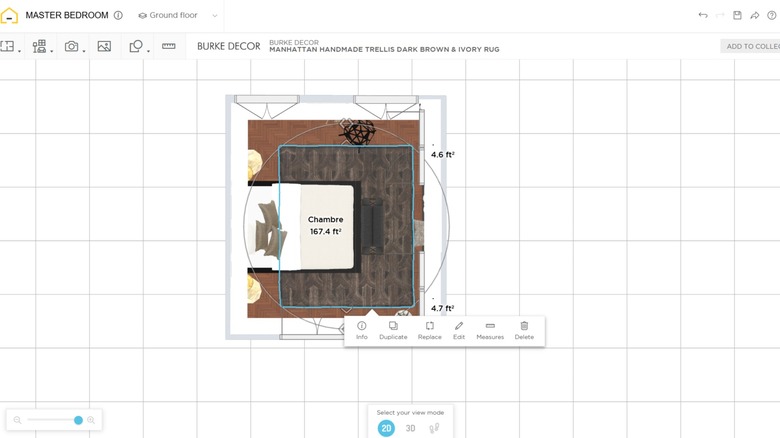
Homebyme is 3D design software wherein you get credits for two free projects and five realistic images after you sign up. After that, you can either start with an empty room, go with a built-in template (there are multiple room options for you to choose from), or upload a 2D floor plan in JPG, PNG, or PDF format. From there, you get to redesign the space per your requirements and tweak every single detail. There's a free-to-download mobile app as well if you'd like to try out the tool when you don't have access to your PC.
AI Room Planner

AI Room Planner is a free interior design tool you can use to redesign your rooms as many times as you'd like or till you find the perfect match. That being said, it's in the beta testing stage at the moment, so its free status might change when it's released publicly. For now, sign up on the platform (you'll need a Gmail account) and upload an image of a room you'd like to redecorate. Then, select the room type and style to "render a new idea." Although quick and easy, this tool won't let you control minute details.
Spacely AI

Looking for a fancy interior design tool with all the bells and whistles? Spacely AI is a free tool (you start with 50 trial credits; the rest will depend on your usage) that you might want to consider. Once you sign up, you can redecorate AI renders or edit an empty room, depending on your requirements. You also get to see how small changes, like choosing Sherwin-Williams' color of the year, look on your walls and complement your existing decor. Similarly, you can determine whether a new lit-up mirror, that thrifted console table, or the quirky catch-all dish will look good in your entryway.
Onton Imagine

Onton Imagine is an AI interior design tool that offers 10 free images and canvases monthly. After signing up, you can upload an image of your current rooms if you'd like to make edits to them or let the tool design one from scratch based on the room type and style you select. In case you have specific design requests, add in detailed prompts (but stay within 380 characters) for the tool. And if you like the outputs and want to bring them to life, hover over products to see where you can buy them from. Although you'll have to upgrade to one of the paid plans to avail this feature.
Planner 5D
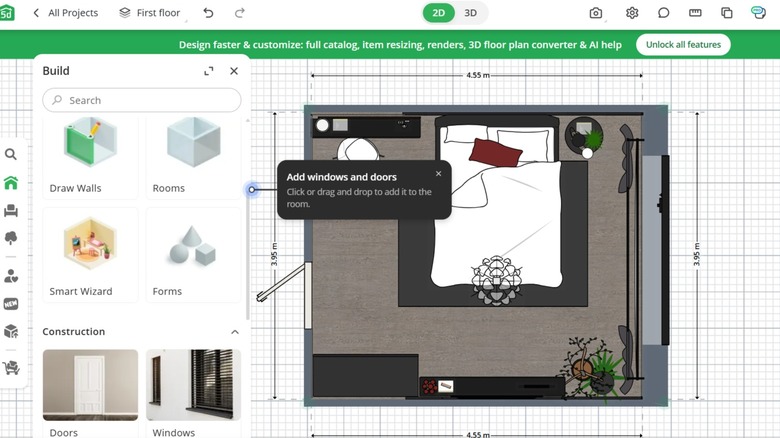
Do you want professional-looking interior designs? If yes, consider signing up for Planner 5D. With over a decade under its belt and boasting more than 120 million users, the tool is ideal for beginner-level homeowners and those who are familiar with the principles of home design. Sign up, and you can start creating 2D and 3D projects for free. Although there are paid plans, too, there's no cap on the number of pieces you can undertake in a day or month. And if you'd like professional help, you can hire experts directly from the platform.
Homestyler AI

If you plan on using Homestyler AI to reimagine your interiors, keep a clear image of your room handy. This is because the tool builds upon your existing space and sprinkles in additional elements in empty spots. This way, you don't have to change it up entirely. You get 10 free renders only to see how the space will look in different styles. So, make sure you try out the designs you're most excited about before playing around with others. Although the tool is user-friendly, expect a little lag if your internet connection isn't stable.
Decoratly

Decoratly is an AI room design platform that's been trained on five million professional photographs. Due to this, the tool can understand the layout of a room, its size, the amount of light it receives, the position of objects and furniture in it, and follow basic design principles to redesign a lifelike interior for your home. In case you aren't sure if you'd like the rendered designs, explore the tool for free first. You get two room transformations upon signing up. However, your access to the styles is limited in this tier.
Reimaginehome AI

Reimaginehome AI is ideal if you crave interaction with the entities responsible for designing your home. Although your discussions will be limited to chatbots, you can still type in your requests and feel like you're having a two-way conversation. Sign up, upload an image of the space you'd like to reimagine, and detail your requirements to the bot to start seeing results within minutes. With that said, be specific and list down your requirements well, since you only get three free credits (each image generation uses up one credit) and will have to buy a plan to continue afterward.
VisualGPT

Even though VisualGPT isn't strictly an interior design platform, it provides AI room designer and room cleaning services so you can maintain a beautiful and organized home. Better yet, you don't have to sign up if you just want to take the tool for a spin. Every new user gets a few free credits, and they should be enough to get you about one or two AI room designs. In case you like the platform and would like to continue using it, sign up for VisualGPT and log in daily to earn credits. You can buy them, too.
Newroom

Whether you want to change the style of your room, switch out your outdated furniture combos, upgrade your existing decor, or decorate an empty room to make moving in easier, Newroom can come in handy. All you have to do is upload an image of the room you'd like to redecorate, choose the property and space types, and pick a theme from the ones listed on the site (not all are accessible on the free tier). Since you only receive two free credits every month (they're enough for just one render), use them wisely.
VisualizeAI
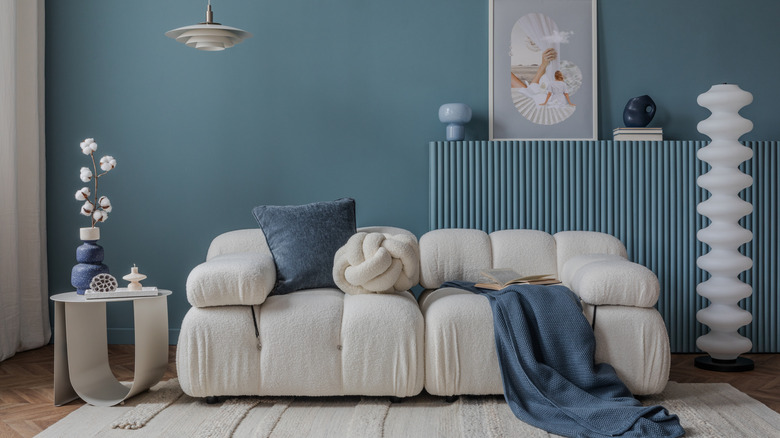
If you want to see multiple iterations of a design theme, try out VisualizeAI. After you sign up (you'll require a Gmail account), upload an image of your room, and pick your preferred style, the tool will generate three renders with slight differences in furniture, furnishings, and decor. You can compare them and choose one you like the most or borrow your favorite elements from each. This feature will also make your three free credits go a long way and allow you to reimagine the most important rooms of your home without having to spring for a paid plan.
Coohom
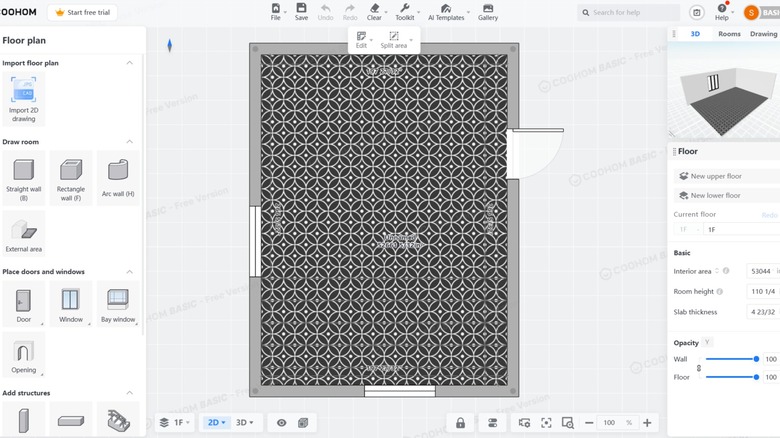
When you want to renovate your home or furnish a new one from scratch, give Coohom a try. Here, you can either upload an image, PDF, or CAD version of your floor plan or create one if you're planning major upgrades. Then, add furniture, light fixtures, and decor that fit your aesthetic, and get a 3D render done for you in seconds. Even though the process sounds simple in theory, remember that each project will take considerable time, especially if you're new to interior design. Upon signing up, you'll be placed on the free tier, which allows you to create three projects.
Collov

Primarily an AI virtual staging tool, Collov is a good tool to organize your home. It can help you add or remove furniture from a room. You can even use it to declutter a space and get the chaos under control. But keep in mind that its idea of decluttering an area is to get rid of all furniture and furnishings — it can't really distinguish between valuable items and ones causing a mess. Though your detailed prompts might help it offer better results. Once you sign up, you get two credits for staging (with four options for each style) and five for editing photos of your home.
Archivinci AI Architect Generator

Archivinci's AI Architect Generator is a great tool for restyling your interiors, particularly when you want to draw inspiration from another image. It can be the photograph of a room you have pinned to your mood board on Pinterest, or an abstract image of an object you like the colors, style, or design of. But this can be a slippery slope, and you might end up with renderings of spaces that don't make sense in the real world (remember the infamous AI cakes?). As you get just three free renders, use your credits to furnish your home instead of dabbling in fancy designs.
Foyr

Foyr is a three-in-one AI tool that allows you to reimagine your interiors in a new light, stage an old or empty room with modern finishes, and enter a prompt to bring your imagination alive. You get one free credit for each category, so be sure of your inputs and desired outputs before you hit the "generate" button. Though you can get more if you share the tool with your friends and family. Each experiment will give you four different renderings (editing access is only available for pro users) and one more that you can unlock if you opt for a paid plan.
Methodology
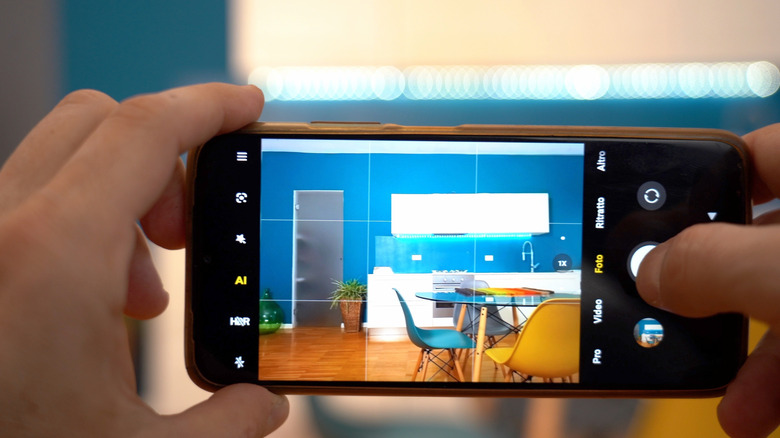
To ensure we recommended the cream of the crop, we combed the internet and went through expert articles, personal tool recommendations, and Reddit threads to prepare a list of the most-liked or talked-about AI interior design platforms. Then, we gathered the website link of each tool. This helped us weed out those that didn't offer a safe web experience. To further narrow down our list, we checked whether a particular tool was free to use or not. Since we didn't find a lot of platforms that were forever free, we kept those that offered zero-charge credits daily, weekly, or monthly.
This gave us a solid place to start. So, we began trying out each tool and asking it to redesign a stock living room photograph we had procured from the internet. Most platforms required us to sign up before we could start using them. Then, we had fun and tried out different styles and themes across tools to see how they'd redecorate a furnished living area. We have also added some images of our experiments, so you can see what the results or the designing stage for each of them look like. Based on ease of use and the ability to follow instructions, we cut down a few more names from our list to finalize these 17 tools.