

What Does 'Cooling Off' Mean On A Refrigerator?
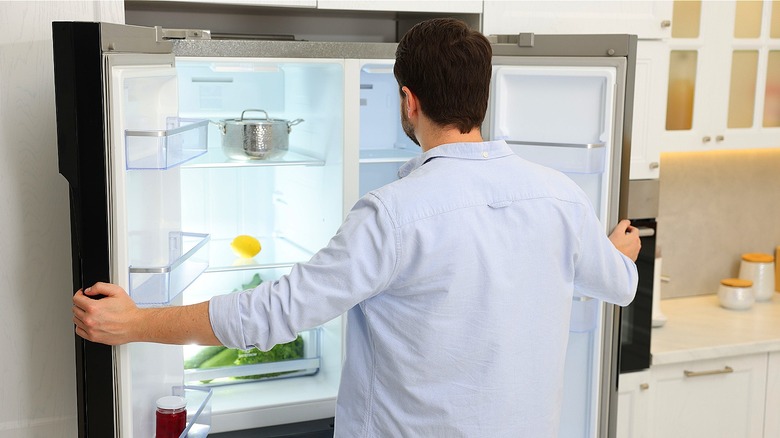
There's nothing quite as jarring as reaching into your refrigerator for a cold beverage, only to find the interior feeling more like a pantry than a crisper. If your control panel is lit up but your food is steadily reaching room temperature, you haven't necessarily fallen victim to a mechanical failure. You've likely stumbled into "cooling off" mode – a factory-default setting designed for showroom floors that disables the compressor while leaving the aesthetics fully functional.
While the "O FF" or "Demo" message on your display might look like an ominous error code, it's actually a temporary state that you can override in seconds without calling a repair technician. Why would a refrigerator have such a counterintuitive feature? For starters, this mode is designed for store display models, allowing customers to interact with the lights and buttons without running the refrigeration system.
If you purchased a floor model or a unit that was recently returned, then it's quite possible that the setting was never toggled back to normal operation before the appliance was delivered to your home. It's also possible for this mode to be accidentally enabled during cleaning, after a power surge, or upon initial installation if the settings were not properly configured. If the issue isn't a showroom setting and your appliance is genuinely broken, knowing the signs it's time to replace your fridge can save you from ongoing stress and spoiled groceries.
How to get your refrigerator nice and cold again
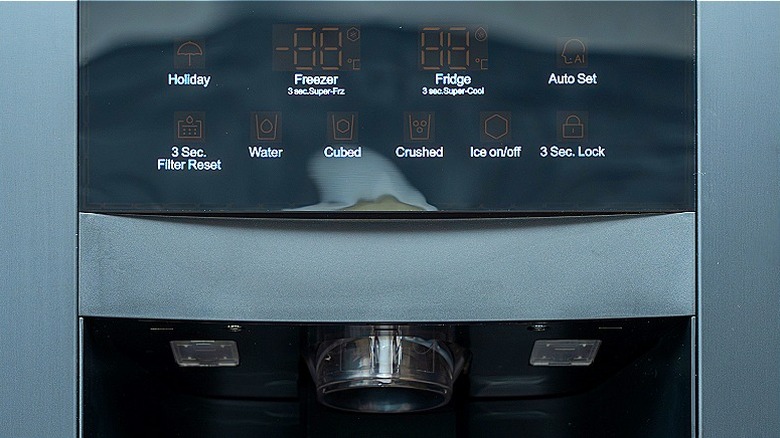
Thankfully, disabling this feature is usually just a matter of pressing a specific button combination on your control panel, allowing you to bypass a service call and get the inside of your fridge back to cold in no time. The method to exit "cooling off" mode varies by manufacturer and model. It's always best to check your refrigerator's user manual to confirm the exact sequence for your specific unit.
- GE units (one of the highly-rated refrigerators that are worth every penny): Try holding the "refrigerator" and "freezer" buttons at the same time for about three seconds.
- LG: You can press and hold the "refrigerator" and "ice plus" buttons simultaneously for about five seconds.
- KitchenAid: These units often require holding the "lock" and "measured fill" (or similar combinations, like the fridge and freezer temp buttons) for three seconds.
- Samsung: It varies by model, either requiring you to hold the "power freeze" and "freezer" buttons (or the two top-left buttons) for about eight seconds until the unit chimes, or to navigate to "fridge manager" on Family Hub models to turn the setting off.
It's important to note that if you see an "OF OF," "O FF," or "Demo" message on your display, do not store food in the refrigerator until you have successfully disabled this mode. After disabling, it may take up to 24 hours for the refrigerator to reach its target temperature.
On that note, if you do store food in a fridge that isn't actually cooling, you risk spoilage and the growth of harmful bacteria, effectively turning your appliance into a temporary storage box for items that require refrigeration. To make sure you keep your fresh items organized safely once the proper climate returns, you can prevent food waste with a fridge organizing tip that changes the game by putting highly perishable, consume-first items right at eye level.