

Light Up Your Home Hands-Free With A $15 Solution From Amazon

We may receive a commission on purchases made from links.
Turning a light switch on or off isn't exactly difficult. However, we can all agree that there are times when you wish you didn't have to get up to do it. Maybe you just got into bed, or your hands are full. Moments like these are exactly when products like the Amazon Basics Smart Light Switch can help. At only $15, it connects to Alexa and lets you turn the light on and off with your voice, freeing you from the hassle of getting up and walking over when it's inconvenient.
The light switch works with a standard 120-volt circuit, and it is rated for five amperes. Keep in mind that its smart and voice-control features work only with Alexa. So, if you use a different home assistant system, you'll need to consider other smart wireless switch brands.
As for customer feedback, the majority of buyers seem happy with the Amazon Basics Smart Light Switch. Its reviews consistently mention that the light switch is easy to install and use, and that setting it up is pretty straightforward as well. Many buyers also noted that the light switch is good value for money. In fact, one reviewer even wrote that it's "Much better than twice as expensive big name products." However, not all reviews are positive. For instance, one buyer mentioned that these smart light switches do not always work, whereas another noted that they randomly turn on and off.
Check this before buying the Amazon Basics smart light switch
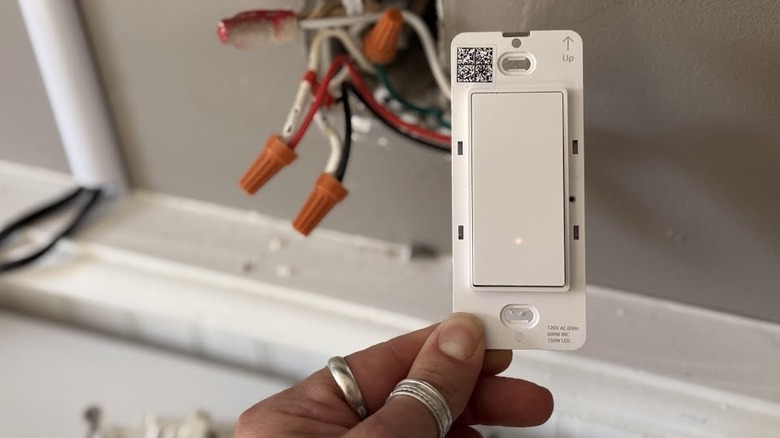
The Amazon Basics smart light switch can help you turn your lights on and off hands-free, but not if you get the wrong type. The smart light switch comes in both single-pole and three-way versions. So, before you order, make sure you know how your existing lighting is controlled. If it's controlled from just one single location, you need the single-pole version. If, however, the same light can be turned on and off from two different switches, you need to buy the three-way type.
Make sure that you have a neutral wire in your switchboard. The Amazon Basics smart light switch does not work without it. Also, pay attention to your Wi-Fi setup. The switch only works with 2.4 GHz Wi-Fi systems — and if your home has a 5 GHz Wi-Fi setup, it won't connect. Install this switch only if you know how to replace a wall switch. Otherwise, leave it to a professional. Just make sure you know what questions to ask before letting an electrician touch anything in your home.
Once installed, don't limit the Amazon Basics smart light switch to turning lights on and off with your voice. Instead, set up Alexa routines. For example, you can set a routine to turn on certain lights as part of your morning routine or switch them off automatically at bedtime, giving you more hands-free control without issuing a voice command every time. Alexa also supports sunrise and sunset triggers. This can be helpful when you want the lights on at dusk rather than at exactly the same clock time every day.